About this product
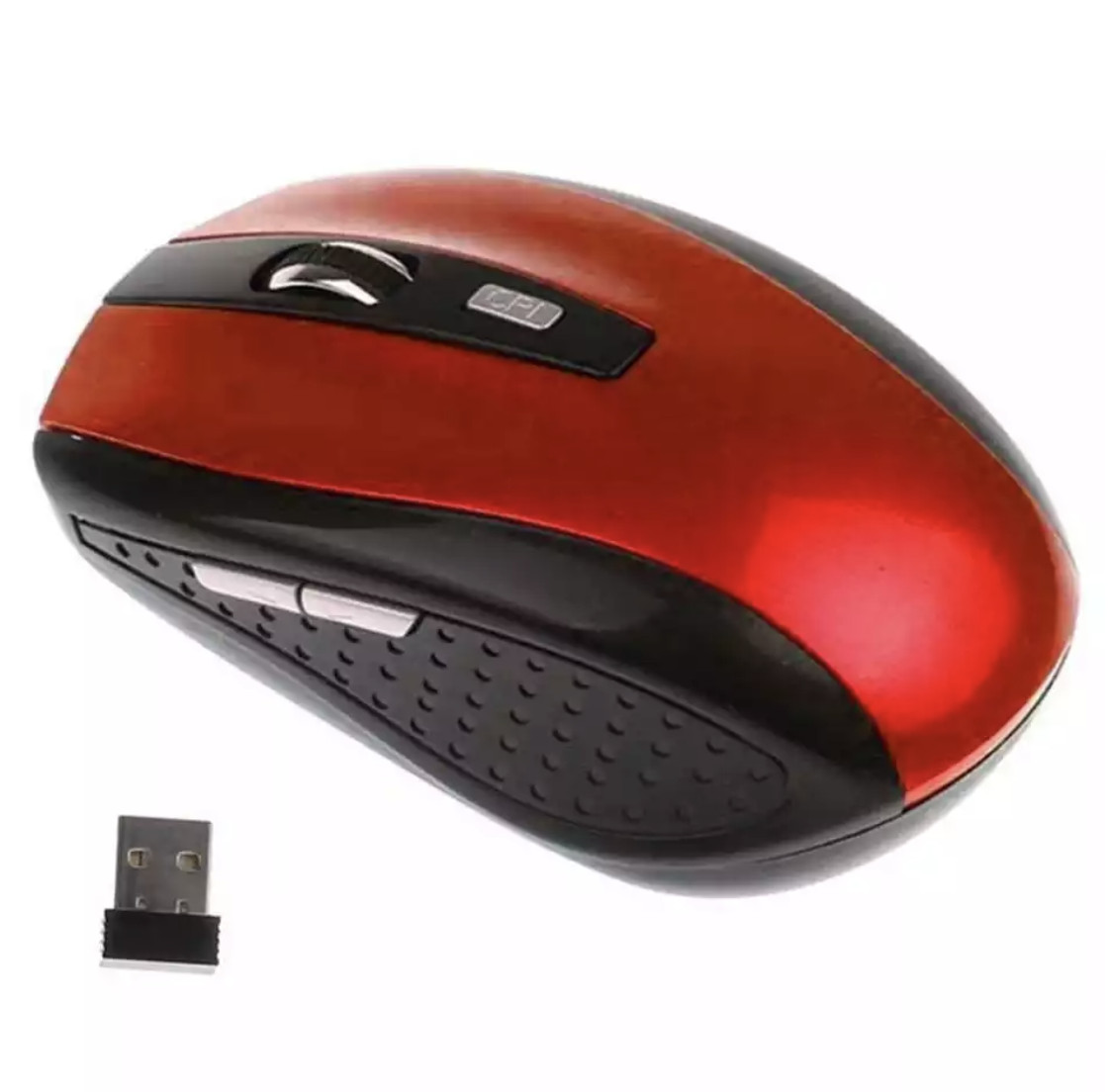
The Logitech M185 Wireless Mouse is a straightforward, optical pointing device designed for use with laptop and desktop computers. Featuring a swift gray finish and a comfortable, ambidextrous shape, it is well suited for daily tasks at home, at the office, or while traveling.
Highlights
- Wireless connectivity operating on the 2.4GHz frequency band
- Includes a compact USB nano receiver for plug-and-play setup
- Contoured shape designed to comfortably fit either hand
- Equipped with right and left-click buttons and a scroll wheel
- Features an on/off switch and smart sleep mode to conserve power
- Pre-installed AA battery offering up to 12 months of use
Design and Connectivity
This standard wireless mouse features a contoured design that accommodates both left-handed and right-handed users. It offers a comfortable alternative to a laptop touchpad during extended computing sessions. The layout includes traditional right and left-click buttons alongside a central scroll wheel for easy document navigation.
To connect to your computer, the mouse utilizes a small USB nano receiver. This tiny receiver plugs into an available USB port and communicates with the mouse via an advanced 2.4GHz wireless signal. This setup provides the reliability of a wired connection combined with the freedom of a wireless design, aiming to minimize delays and dropouts during data transmission.
Setup and Power Management
The mouse is designed for plug-and-play simplicity, meaning you can plug the nano receiver into your computer and begin using it immediately without installing additional software or drivers. The receiver is small enough to remain plugged into your laptop or desktop continuously without getting in the way.
Power is supplied by a pre-installed AA battery. The device includes an integrated on/off switch and a smart sleep mode to help preserve battery life, which can last for as long as one year depending on individual user and computing conditions.
Compatibility and Travel Use
The Logitech M185 is compatible with both PC and Mac computers, making it a versatile accessory for households or workplaces with mixed operating systems. Its compact dimensions and small USB receiver make it particularly convenient for travel, fitting easily into a laptop bag or backpack alongside your computer.
When choosing a travel mouse, opting for a wireless model with a storable or unobtrusive receiver helps prevent clutter and loss of parts while on the move. Regular cleaning of the optical sensor on the underside of the mouse can help maintain smooth cursor tracking over time.
Questions shoppers ask
Is software or a driver required to install the Logitech M185 mouse?
No, the mouse features plug-and-play simplicity. You simply plug the tiny nano receiver into a USB port on your computer and start using the mouse right away without any software installation.
Can left-handed users comfortably use this mouse?
Yes, the contoured design is built to feel comfortable in either your right hand or your left hand.
What kind of battery does the mouse use and how long does it last?
The mouse comes with a pre-installed AA battery. It can work for as long as 12 months, supported by an on/off switch and a smart sleep mode, though battery life may vary based on user and computing conditions.
Does this mouse work with both PC and Mac computers?
Yes, the Logitech M185 is designed to work with both PC and Mac systems.
Fashnal wrote this description from eBay's listing with the help of AI and checked it against that listing. Sizes, colours and stock can change, so check them at the store before you buy.