About this product
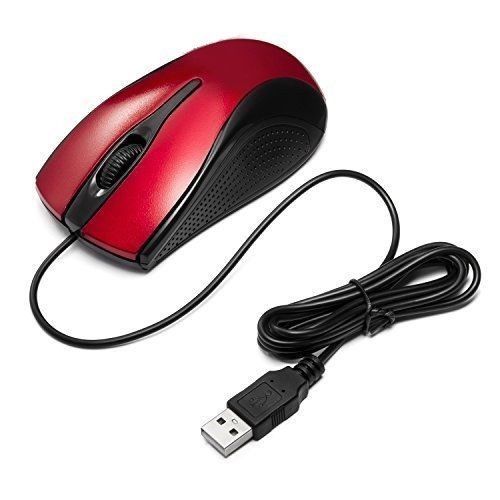
The Logitech M325s wireless optical compact ambidextrous mouse in red offers a reliable and comfortable computing experience. Designed for everyday productivity and web use, this wireless mouse combines a compact footprint with precise tracking to suit various users.
Highlights
- Compact and ambidextrous design suitable for use on the go
- Micro-precise scroll wheel with tilt functionality for horizontal navigation
- Up to 18 months of battery life with power-saving technology
- Wireless connection via a USB receiver with up to 33 feet or 10m range
- Compatible with Windows, macOS, Linux, and Chromebook operating systems
- Five programmable buttons for customized control using software
Design and Control
This compact mouse features a contoured shape with textured grips to support your hand during extended computer sessions. Its ambidextrous build accommodates both left-handed and right-handed users comfortably. The device operates via buttons, a standard scroll wheel, and a tilt wheel.
Equipped with an optical tracking method operating at 1000 dots per inch, the mouse delivers steady cursor control. Five total buttons are available, all of which are programmable to match your workflow requirements when utilizing the appropriate application.
Connectivity and Compatibility
Setting up the device involves a simple plug-and-play operation by inserting the included USB receiver into your computer. The radio frequency wireless connection maintains stability up to 33 feet or 10m away from your system.
Compatibility spans multiple operating systems, including Windows, Mac, Chrome, and Linux. This broad support makes the peripheral versatile across different laptops and desktop computers.
Power and Included Items
Power is supplied by one AA battery, which comes pre-installed in the unit. Thanks to built-in power-saving technology, a single battery can last for up to 18 months of regular use, reducing the frequency of replacements.
The package contains the wireless mouse, the USB receiver, one pre-installed AA battery, and user documentation to help you get started right away.
Questions shoppers ask
What operating systems are compatible with this mouse?
The mouse is compatible with Windows, macOS, Linux, and certified Works with Chromebook systems.
How do I connect the mouse to my computer?
You can connect it simply by plugging the included USB receiver into a compatible port on your computer for a wireless radio frequency connection.
Can I customize the buttons on the mouse?
Yes, the five total buttons are programmable via the Logi Options+ app to handle horizontal scrolling, navigation, and other functions.
What type of battery does it use and how long does it last?
It uses one AA battery, which is included and pre-installed, and offers up to 18 months of battery life.
Fashnal wrote this description from eBay's listing with the help of AI and checked it against that listing. Sizes, colours and stock can change, so check them at the store before you buy.